Chrome Extension · Free
Install Ziwa Lead Finder
Look up Facebook profile contact data straight from any profile page. Click the toolbar icon while logged in — instant phone, name, and location data.
Coming soon: 1-click install via Chrome Web Store (under review).
Manual install (until Chrome Web Store review completes)
1
Download the extension
2
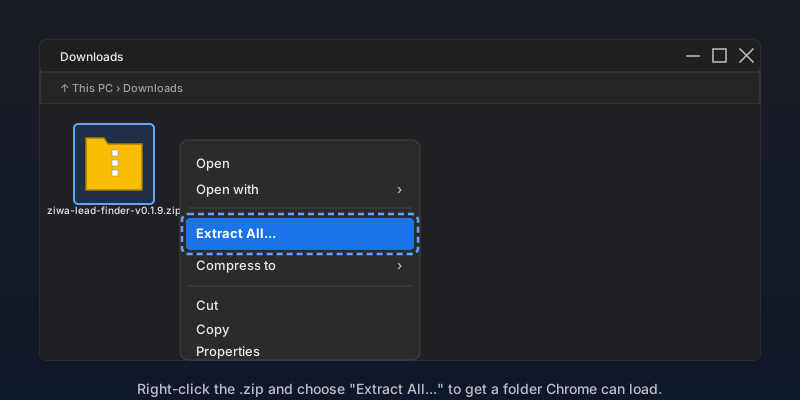
Extract the .zip on Windows
Open your Downloads folder, right-click the file you just downloaded, and choose "Extract All...". You'll get a folder named ziwa-lead-finder-v0.1.9 — Chrome needs the FOLDER, not the .zip itself.
3
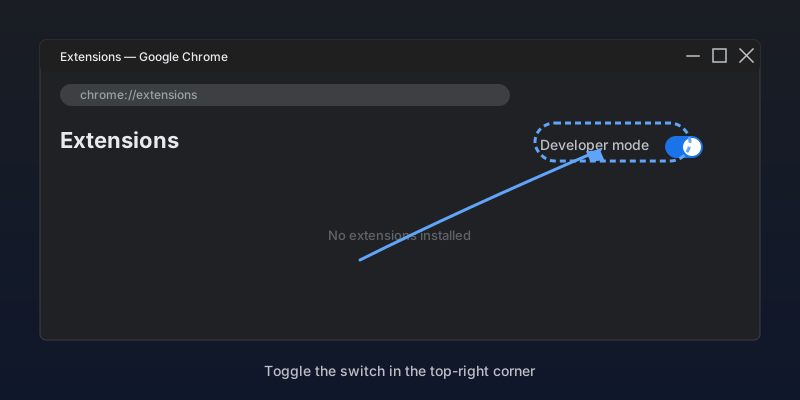
Open Chrome Extensions + Developer mode
Visit chrome://extensions and toggle Developer mode (top-right corner).
4
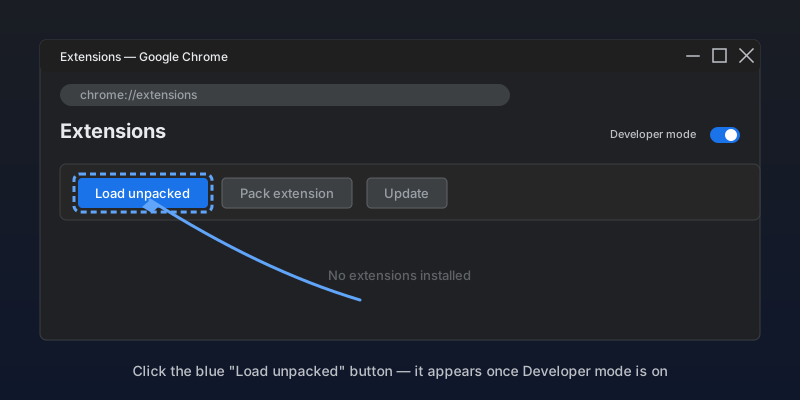
Click "Load unpacked"
A new toolbar appears at the top. Click the blue "Load unpacked" button.
5
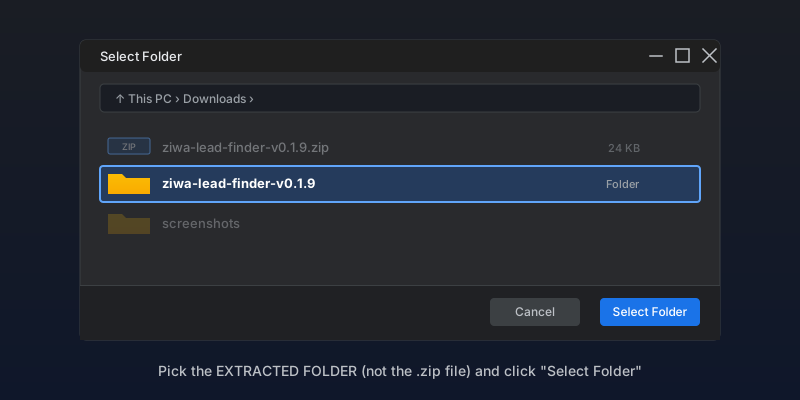
Select the extracted folder
In the file picker, navigate to your Downloads folder and select the extracted ziwa-lead-finder folder (NOT the .zip file). Chrome installs it instantly.
6
Connect to your Ziwa account
Click the Ziwa toolbar icon, then "Connect to Ziwa" — the auth handshake takes one second.
After install, visit any Facebook profile and click the Ziwa toolbar icon to look up contact details. 1 Intel credit per match.
Doesn't work?
- ·Make sure you are signed in to Ziwa in this browser before connecting the extension.
- ·Developer mode must be ON in chrome://extensions for unpacked installs.
- ·Still stuck? Email support@ziwa.club